Is It Safe to Leave an Old Phone Plugged In 24/7 as a Security Camera?
Turning an old phone into a free security camera has become one of the most popular ways to reuse a device that would otherwise sit in a drawer. But an always-on camera means an always-plugged-in phone — charging continuously, day and night, for months or years. That raises a fair question: is it actually safe to leave a phone's battery charging 24/7?
The short answer, backed by fire-safety agencies, is that continuous charging itself is not the main hazard — but the state of the battery you're charging is. Here's what the current data says, and how to set up an old-phone camera without turning it into a fire risk.
The batteries piling up in landfills are a warning, not about your outlet
The clearest sign that lithium-ion batteries deserve real caution in 2026 isn't happening in people's living rooms — it's happening at waste facilities. Metro Waste Authority, which manages solid waste for the Des Moines, Iowa metro area, reported eight facility fires in 2024. That number jumped to 21 in 2025, and the agency had already logged seven more by mid-2026. In May 2026, one of the largest landfill fires in the agency's nearly 60-year history burned for about 12 hours at the Metro Park East Landfill — hours after officials had publicly warned city leaders about the exact hazard believed to have caused it: discarded batteries and rechargeable electronics igniting when compacted (Axios Des Moines, May 2026).
That risk is specifically about damaged, aged, or improperly discarded batteries getting crushed or punctured — not about a healthy phone sitting on a charger. But it's a useful reminder of what a compromised lithium-ion battery can do, and why the battery inside the old phone you're about to press into service deserves a quick check before it goes to work.
What actually causes a charging phone to catch fire
The U.S. Consumer Product Safety Commission has been running a public lithium-ion battery safety campaign, and its guidance narrows the real risk factors down to a short list: using a charger or cable that isn't the original or manufacturer-approved one, charging a battery that's already physically damaged, and continuing to use a battery after it shows signs of swelling, excessive heat, or a strange smell. The agency's core advice is to stop using and stop charging a battery the moment it shows any of those signs (U.S. Consumer Product Safety Commission, 2026).
The National Fire Protection Association doesn't yet track a national count of home fires caused specifically by lithium-ion batteries, but it has watched incident reports climb enough that it made battery charging safety the theme of its 2026 Fire Prevention Week campaign, "Charge Into Fire Safety" (National Fire Protection Association, 2026). Separately, NFPA hazard research has estimated that U.S. fire departments responded to roughly 25,600 lithium-ion battery incidents a year between 2018 and 2022 — a 30% increase over the prior period — and found that while these fires are a small share of all structure fires, they punch above their weight in high-damage incidents (NFPA, Lithium-Ion Batteries Hazard and Use Assessment).
Notice what's missing from both agencies' warnings: "don't leave it plugged in." Modern phones stop drawing full current once they hit 100%, and being plugged in overnight is not, by itself, the trigger fire investigators point to. Age, physical damage, and off-brand charging hardware are.
So is a 24/7 old-phone camera a bad idea?
Not if the battery you're relying on is actually healthy. A phone that's a couple of years old, has never been dropped or exposed to heat damage, and is charged with its original (or a certified) cable is a reasonable device to leave running continuously — that's the same always-on arrangement people already trust for routers, streaming boxes, and baby monitors. The real difference with an old phone pulled out of a drawer is that you often don't know its charging history, and a battery that's been through years of partial charges and full discharges is more likely to be nearing the end of its safe life.
A safety checklist before you put an old phone to work
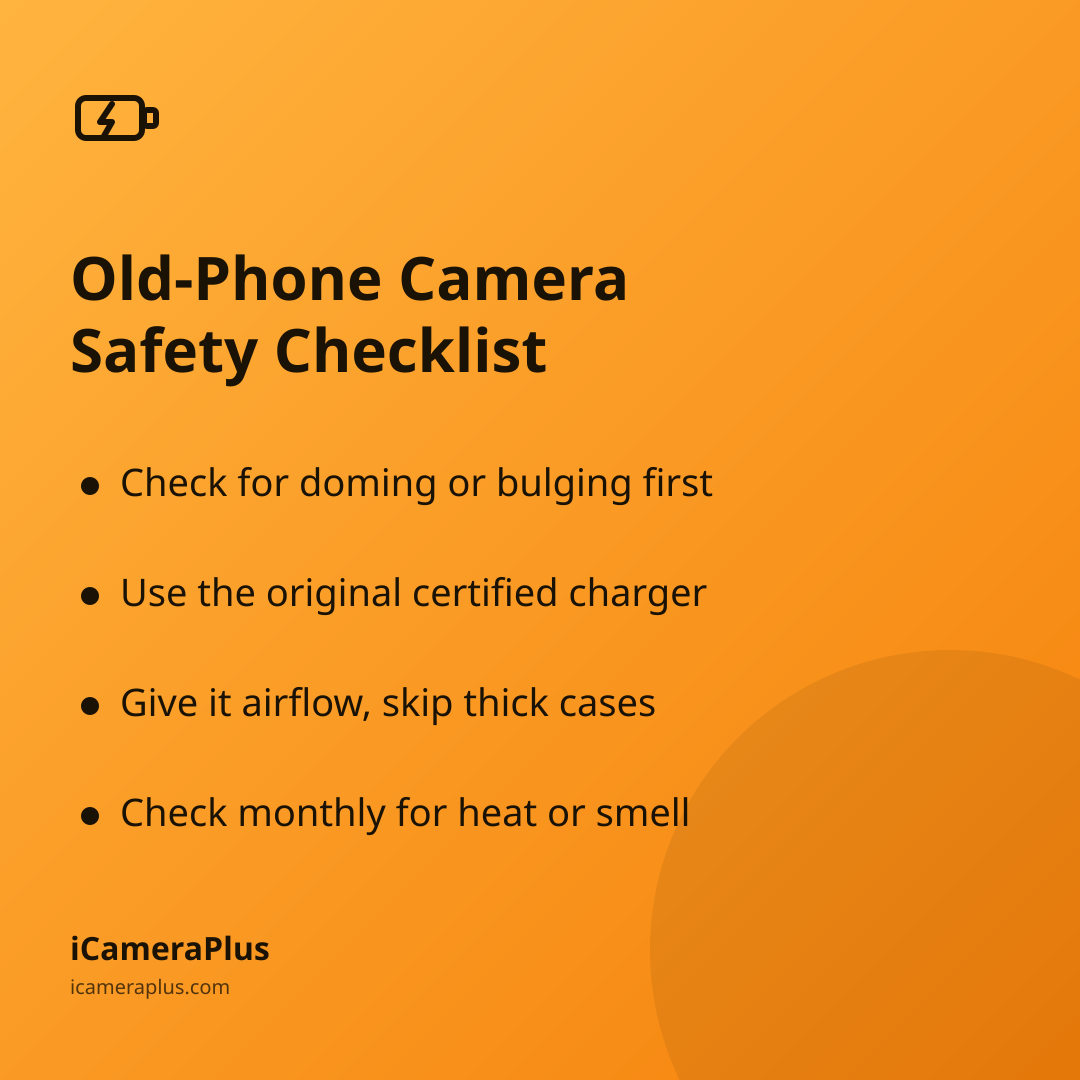
- Inspect it first. Look at the back and screen edges for doming, bulging, or gaps — the classic signs of a swelling battery. Retire the phone instead of powering it on if you see any of these.
- Use the right charger. Stick with the phone's original charger and cable, or one certified for that model. CPSC specifically flags mismatched or off-brand chargers as a common factor in battery incidents.
- Give it airflow. Set it on a hard, non-flammable surface — not on bedding, a pillow, or a stack of paper — and skip thick cases that trap heat during continuous use.
- Keep it in view, not boxed in. A shelf or mount works better than a drawer or enclosed cabinet, both for camera angle and for letting heat dissipate.
- Check on it occasionally. Once a month or so, glance at the phone for warmth, smell, or physical changes — the same habit CPSC recommends for any battery in continuous use.
- Retire it at the first bad sign. If the battery swells, overheats, or the phone stops holding a charge normally, stop using it immediately and don't puncture or crush it.
This is also where an app like iCameraPlus earns its keep beyond convenience: because it archives footage continuously off the device rather than storing everything locally, you're not losing your recorded history if you ever need to retire a phone on short notice — you can swap in another old device and keep your motion alerts and remote live view without missing coverage.
If a battery does go bad, don't put it in the trash
The Des Moines landfill fires exist because damaged batteries end up in household trash and recycling, where compactors and balers can puncture them. If you retire a phone because its battery is swollen or failing, the CPSC and most municipal waste programs agree on the same rule: never put a damaged lithium-ion battery in curbside trash or recycling. Take it to a certified battery or e-waste collection point instead — many hardware stores, electronics retailers, and municipal hazardous-waste sites accept them for free.
Regulators are catching up to this problem at the federal level, too. The Environmental Protection Agency is drafting a rule that would create a dedicated "universal waste" category for lithium batteries, separate from general battery rules, specifically to set tailored handling and safety standards that reduce fire risk during collection and transport while still keeping batteries out of landfills (U.S. Environmental Protection Agency, 2026).
The bottom line
Repurposing an old phone as a home security camera is still one of the most useful, lowest-cost things you can do with a device that would otherwise sit unused — and for a healthy phone, running it plugged in around the clock is not inherently dangerous. The precaution that actually matters is a five-minute battery check before you commission it, an original or certified charger, and a habit of retiring — and properly recycling — any phone whose battery shows signs of wear. Do that, and the phone in your drawer can watch your front door for years without becoming the next statistic in a landfill fire report.
Sources
- Metro Waste Authority — Discarded Batteries Causing Fires in Des Moines Metro Landfills (2026)
- Axios Des Moines — Massive landfill fire erupts hours after city warning (May 2026)
- U.S. Consumer Product Safety Commission — Lithium-ion battery fire safety guidance (2026)
- National Fire Protection Association — Lithium-Ion Battery Safety (2026 Fire Prevention Week theme)
- National Fire Protection Association — Lithium-Ion Batteries Hazard and Use Assessment
- U.S. Environmental Protection Agency — Universal Waste Rulemaking for Lithium Batteries (2026)