How Much Data Does a Security Camera Use? What 2026 Numbers Actually Show
A security camera left on continuous, 24/7 recording typically uses 30 to 400 GB of data a month per camera, depending on resolution and video quality — compared with as little as 10 to 75 GB a month for a camera that only uploads short clips when it detects motion, according to Google's Nest support documentation, current as of 2026. Multiply that by two or three cameras and a household can burn through a meaningful chunk of its home internet data cap without ever leaving the couch.
If you're setting up a security camera — whether it's a dedicated device or an old phone running an app like iCameraPlus — the number that matters most isn't the camera's price or resolution. It's how your household's internet plan handles the extra upload traffic.
How Much Data Does a Security Camera Use Per Month?
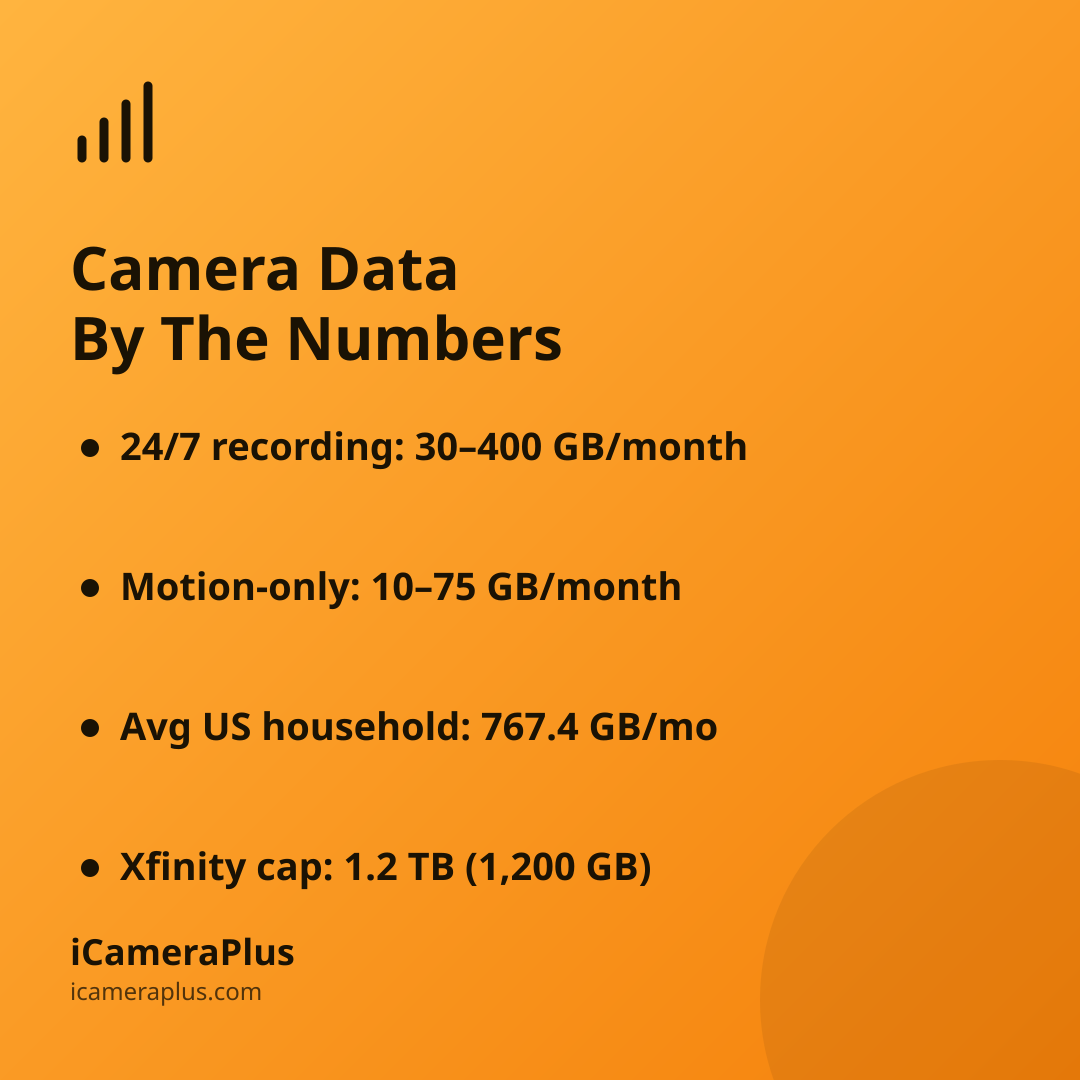
Data usage depends almost entirely on two things: video quality and how often the camera is actually sending footage. Google's 2026 bandwidth guidance for Nest cameras puts continuous (24/7) recording at roughly 30–400 GB per camera per month, while event-based recording — clips triggered only by motion — drops that to about 10–75 GB, since the camera isn't uploading anything during quiet hours.
That range is wide because a 4K camera recording nonstop uses far more data than a 1080p camera that only clips 15-second events. Two cameras of the same model, set to different quality levels, can post very different monthly totals.
Why Does Continuous Recording Use So Much More Data?
Continuous recording means the camera is constantly sending video to a server, cloud archive, or app — whether or not anything is happening in the frame. Motion-triggered recording only sends data when the camera's sensor detects movement, so an empty hallway or a quiet backyard costs nothing in data for hours at a time.
That gap is exactly why continuous recording is more useful for actually catching something — a package theft, a slip on the front steps, a delivery dispute — but it's also why it deserves a plan. Apps that turn a spare phone into a full-time security camera for your own home, including iCameraPlus, work the same way any continuous-recording camera does: video travels over your Wi-Fi to an off-device archive so footage survives even if the phone is damaged or stolen. That reliability is the whole point of continuous recording — but it does mean planning for the data it uses, the same way you would with any other always-on camera.
Could a Security Camera Push You Over Your Home's Data Cap?
It's more possible than most people realize. The average U.S. household now uses 767.4 GB of data a month — the first time that figure has crossed 700 GB — up 9.9% year-over-year, according to broadband analytics firm OpenVault's Broadband Insights Report for the fourth quarter of 2025. Median usage climbed even faster, up 15.3% to 531.8 GB.
Comcast's Xfinity, the largest cable broadband provider in the U.S. by subscriber count, still caps many residential plans at 1.2 TB (1,200 GB) a month, per Xfinity's data usage policy as of 2026. Customers get one courtesy month before overage charges kick in; after that, exceeding the cap costs $10 per additional 50 GB, up to $100 a month.
A single security camera recording 24/7 can use up to a third of Xfinity's entire monthly data cap.
Add a household that's already averaging over 700 GB a month from streaming, gaming, and video calls, and one or two continuous-recording cameras can be the difference between staying under the cap and paying overage fees. OpenVault also found that upload ("upstream") traffic — the direction your camera's footage actually travels — grew 21.7% year-over-year in its 4Q2025 report, outpacing downstream growth, which the firm attributes in part to more households running cameras, cloud backups, and video calls simultaneously.
What About Recording Over Cellular Data or a Mobile Hotspot?
Cellular and hotspot data plans generally have far lower caps than home broadband — often just a few gigabytes to a couple hundred — which makes continuous recording a fast way to burn through a phone plan. A camera that needs to run all day, every day, belongs on home Wi-Fi, not a cellular connection, unless you've specifically confirmed your carrier plan can handle it. This applies whether it's a purpose-built camera or an old phone repurposed as one to keep an eye on your own property.
How to Cut Your Camera's Data Usage Without Losing Coverage
- Use home Wi-Fi, not mobile data
- Switch quiet cameras to motion-triggered clips
- Lower resolution on indoor cameras
- Check your ISP's data cap before day one
You don't have to choose between "always recording" and "never recording." Many camera apps let you keep continuous recording on the cameras covering entry points and package zones, while switching lower-priority cameras to motion alerts only — balancing coverage against data use instead of treating every camera the same way.
Quick Answers
Does a security camera use data when nothing is happening?
Only if it's set to continuous recording. A camera in that mode uploads video constantly, regardless of activity. A camera set to motion-triggered or event-based recording uses essentially no data during quiet periods, since it only uploads when its sensor detects movement.
Do multiple cameras use data even faster?
Yes — data usage scales roughly per camera. Two continuous-recording cameras at the high end of Google's published range could each use up to 400 GB a month, for a combined total that alone could approach a typical 1.2 TB home data cap.
Will a security camera slow down my Wi-Fi?
It can, especially on older routers or slower upload speeds, since cameras compete for upload bandwidth with video calls and cloud backups. A router that supports your camera's recommended upload speed, and a wired connection where possible, generally prevents noticeable slowdowns.