Who Still Has Access to Your Smart Home? What a New 2026 Survey Found
This article was produced with AI assistance. Sources are listed at the end.
A new survey from Brinks Home found that 76% of homeowners with a smart security system have handed out a key, code, or app login they never took back. In other words, most people monitoring their own home with modern security technology have no real idea who else can still get in — and no current camera or lock closes that gap by itself.
How Many Homeowners Still Have Unrevoked Access to Their Smart Home?
According to Brinks Home's November 2026 survey of 1,431 U.S. homeowners with smart security systems, 76% have granted home access through keys, codes, or apps that they never revoked (Brinks Home, 2026). Among the 87% of respondents who said they could immediately name everyone with access to their home, 75% admitted they had still given out access they never took back.
Confidence and reality turn out to be two different things. Most homeowners believe they're on top of who holds a key or code, yet the large majority have at least one old login, physical key, or shared account still open.
Who Actually Still Has a Way Into Your House?
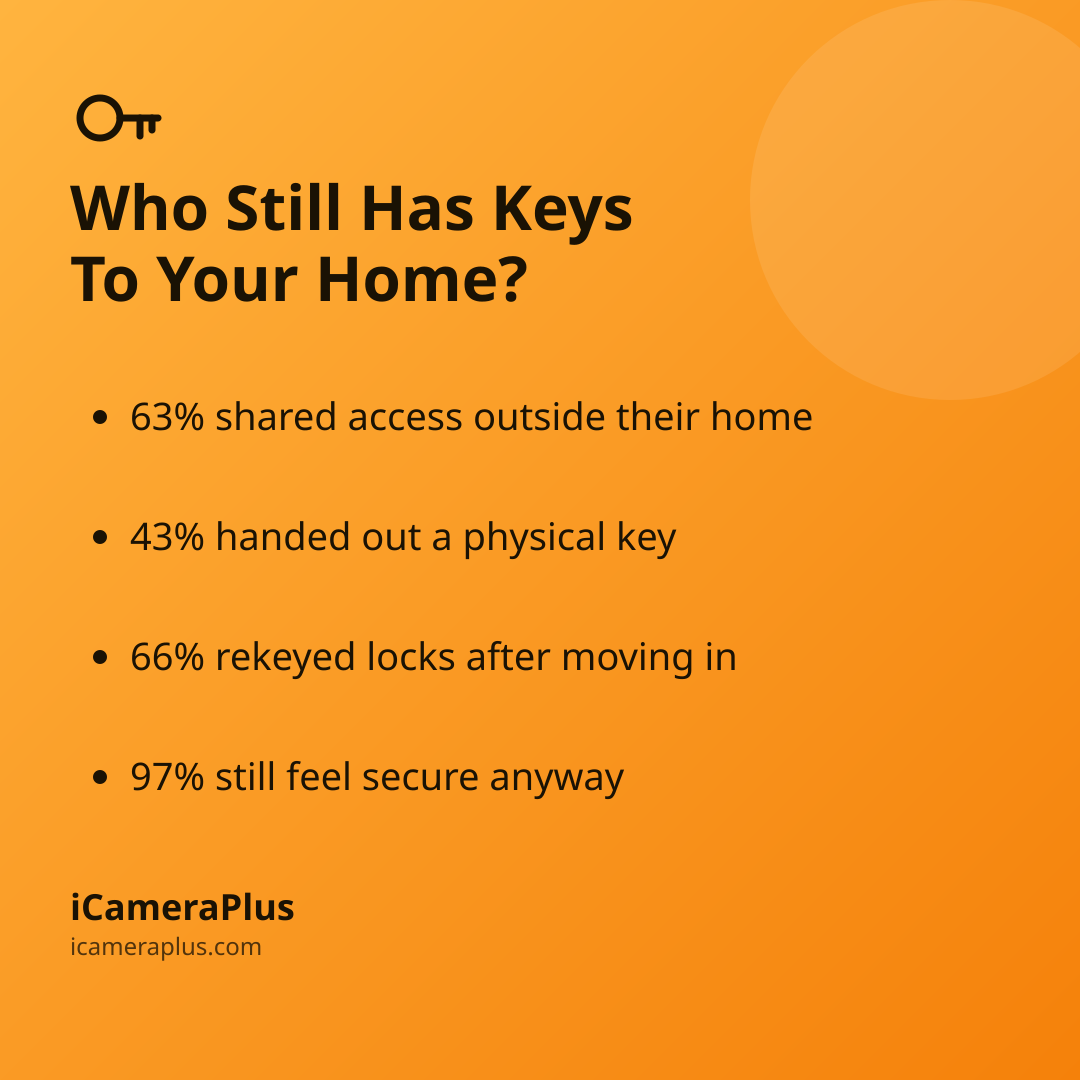
The same survey found that 63% of homeowners shared access with someone outside their own household — 47% with extended family and 23% with friends or neighbors (Brinks Home, 2026). Beyond digital access, 43% handed out a physical key and 40% shared their home Wi-Fi password, which can double as a backdoor into any device connected to it.
Common sources of forgotten access include:
- Old house sitters or roommates
- Movers, cleaners, or contractors
- Former partners or tenants
- Family with a standing app login
Why Do 97% of Smart Security Owners Still Feel Secure?
Despite that access gap, 97% of surveyed homeowners said they feel secure with their smart security system (Brinks Home, 2026). "Feeling secure doesn't always mean you've checked, and it doesn't always mean you're protected," said Veronica Moturi, senior vice president and chief customer officer at Brinks Home.
A security camera or smart lock only protects you from people who don't already have a way in — which is exactly the group this survey says is larger than most owners assume.
Does Moving Into a New Home Close the Gap?
Moving is one of the few moments homeowners actually act — but mostly on the physical side. Brinks Home found that 66% of new homeowners rekeyed their physical locks after moving in, yet only 18% removed the previous owner's smart security access, 19% reset smart device accounts, and 33% changed alarm or keypad codes (Brinks Home, 2026).
The Federal Trade Commission has flagged this exact gap: sellers should "remove administrative access and personal information for all connected devices in the home and then reset the devices," while buyers should reset every device and review its privacy settings rather than trust it's already clean (FTC Consumer Alerts). A new deadbolt means little if the previous owner's app can still unlock the door remotely.
When Is Revoking Access Riskier Than Leaving It Alone?
Cutting off access isn't always as simple as tapping "remove user." The National Network to End Domestic Violence's Safety Net Project warns that connected devices can be misused to monitor or control a home remotely, and that "some people may escalate their abusive behavior when devices or accounts are secured, or monitoring is cut off" (NNEDV Safety Net Project). The organization recommends talking with a domestic violence advocate to build a safety plan before changing settings, rather than assuming a quick fix is always safe.
For most households the stakes are far lower — an old babysitter or past tenant, not an ongoing threat — but the same first step applies either way: find out exactly who has access before deciding what to change.
How Do You Actually Audit Who Has Access to Your Home?
A simple seasonal checklist closes most of the gap the Brinks Home survey found:
- List every key, code, and login
- Remove old guests and movers
- Set expiring codes for new guests
- Reset devices after a move or breakup
Security cameras deserve the same scrutiny as locks. Many camera apps keep "shared user" invitations active indefinitely, so a family member or former roommate can retain live-view access long after they've moved out — part of why who can actually watch your camera's live feed is worth checking on its own, alongside a device's privacy practices.
If you're setting up a new way to watch your own property, it helps to favor tools with fewer shared logins to lose track of. iCameraPlus, for instance, turns a phone you already own into a security camera with a private cloud archive you browse only from your own web panel — there's no separate "shared user" account to forget about months later, just the one login you control.
Quick answers
Should I revoke smart home access after a breakup? In most everyday cases, yes — change codes, passwords, and app access as soon as you reasonably can. If the other person has a history of controlling or abusive behavior, the National Network to End Domestic Violence recommends speaking with an advocate first, since cutting off access abruptly can sometimes escalate a volatile situation.
How do I remove a previous homeowner's access to smart devices? The FTC recommends that sellers reset every connected device to factory settings and remove their accounts before closing, and that buyers do their own factory reset and set up fresh accounts rather than assume a device is already clean.
Does sharing my Wi-Fi password count as sharing smart home access? Yes. Brinks Home's 2026 survey found 40% of homeowners had shared their home Wi-Fi password, which can let a device connect to — and sometimes influence — anything else on that same network, including cameras and locks.
Sources
- Brinks Home, "97% of Smart Security Owners Feel Secure, but 76% Have Shared Access They Never Revoked" (2026)
- Federal Trade Commission, "Buying or selling a 'smart' home? Read this."
- National Network to End Domestic Violence, Safety Net Project — Smart Home
- Can Strangers Watch Your Home Security Camera's Live Feed in 2026?